Afsana Music Capcut Template If you want to make your normal video clips into an entertaining music video, then the “Afsana Music” CapCut template could be helpful for you. With pre-set music and graphic effects, it’s considerably easier to create the video. Simply select the videos you want and upload them to the template. It then combines them with music to create a viral video. Once your video is ready, you can publish it on Instagram Reels, WhatsApp Status or any other social media platforms.
Details Of Afsana Music Capcut Template
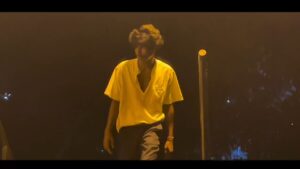
The Afsana Music CapCut template is a pre-designed format of video editing containing effects and transitions that are pre-added to make the video interesting. It has pre-set clip timing – to the music – and other editing aspects, so you don’t have to set them up separately. When you preview this template, you will first see a boy gently approaching toward the camera. Then a black filter is placed – with a cool transition – which makes the whole scene look different. If you use this template, your photo or video will be made with music, effects and transitions that nearly like this preview.
What Is Capcut Template?
Let’s discuss about this template now. Editing a movie from scratch is time-consuming, thus individuals nowadays are more likely to utilise templates to generate videos. Not everybody has the patience to add effects, filters, and transitions one-by-one. This is where CapCut really shines, as an easy-to-use, simple-to-learn video editing program that anyone can pick up quickly. A lot of people are utilising it to add a beautiful aspect to their pictures and videos. In this article I will be sharing a template you can use within the CapCut app to make a great video in no time.
How To Use Afsana Music Capcut Template
Using this template is fairly simple. First, open the template which is supplied here. Then you may make your video by adding the video clips of your choice to the template. But be sure to preview the template before to inserting the clips. This will give you an idea of how many clips you’ll need for the video and what kind of clip each one should be. Watch the preview, then shoot your own video clips in a similar style and insert them into the template. This will sync your clip up with the music, effects and transitions in the template flawlessly, making your video look like the preview. I also have some step-by-step instructions below for you to modify your video even more effortlessly.
- First, click on the “Open Template In CapCut” option given above.
- After this, the template will open directly in the CapCut app. If the app is not installed, install it first.
- Now, tap on the “Use Template” option visible in the template.
- After this, select the necessary photos or video clips from your gallery according to the template.
- After selecting all the clips, click on “Next” and wait for a while.
- Your video will be ready in a short while. Preview it first.
- If you like the video, click on the “Export” option above and save it to your gallery.
Conclusion
So pals must have learned the easy approach to make a video utilising the ‘Afsana’ music CapCut template. You don’t have to apply different effects and transitions manually. Just choose the relevant clips, add them to the template and follow a few easy steps. Then your video is ready to be shared on Instagram, WhatsApp or any other social media networks. We hope this information was useful to you.